How to Recover Data From a Broken Phone (Even When the Screen Is Completely Dead)

Share
It rarely happens at a convenient time. Your phone slips, hits the ground, and in a split second, everything changes. The screen goes black. Touch doesn’t respond. Sometimes it won’t even light up at all.
For most people, the panic isn’t about replacing the phone. It’s about what’s trapped inside it. Photos you haven’t backed up yet. Videos you still need. Important messages, work files, and memories you can’t recreate.
If you’re dealing with a dead phone screen or a completely smashed display, here’s the reassuring truth: data recovery from a broken phone is often still possible. Even when the screen is completely dead, there are proven ways to retrieve data from a broken phone—if it’s handled correctly.
This guide breaks down how data recovery from broken phones really works, what factors influence your chances of success, and how people in Humble, Texas recover their phone data every day.
Drawing from years of real-world, hands-on data recovery experience, one thing is clear: a failed screen almost never means your data is gone.
Start Here: Is the Phone Still Turning On?
Before thinking about advanced recovery methods, the first step is simple: determine whether the phone still has power.
Plug it into a charger and pay attention. Does it vibrate? Make sounds? Show any signs of charging, even if the screen stays black? When you connect it to a computer, does the device register at all?
If the phone powers on but the screen is broken, that’s good news. Most cases of broken Android data recovery fall into this category. Internally, the phone is still working—the display is simply no longer usable.
If the phone does not power on at all, recovery becomes more complicated, but it’s not automatically impossible. In many situations, the data itself remains intact even when the phone appears completely dead.
Understanding What “Broken Phone” Really Means
When people search for how to recover data from a broken phone, the word broken can mean very different things.
Sometimes it’s a cracked screen that still responds to touch. Other times, it’s a dead phone screen that shows nothing at all. In more severe cases, the phone may have internal damage from water, impact, or electrical failure.
Why this matters is simple: data recovery depends on access, not appearance. A phone that looks destroyed on the outside may still store perfectly intact data on the inside.
That’s why professional recovery always starts with diagnosis—not assumptions.
How to Access a Phone With a Broken Screen
One of the biggest challenges people face is figuring out how to access a phone with a broken screen. After all, if you can’t see or touch the display, how do you unlock it?
If the screen is cracked but still responsive, the process can be straightforward. You may be able to unlock the device manually, connect it to a computer, and download data from a broken phone using a USB cable.
When the display is completely black or unresponsive, things become more technical. Many Android devices support USB OTG, which allows you to connect a mouse or keyboard directly to the phone. This can make it possible to unlock the device, approve file access, and begin transferring data—even with a dead screen.
This method is commonly used for retrieving data from broken Android phones in Humble, Texas, especially when customers need quick access to photos and documents.
How to Download Data From a Broken Phone Using a Computer
If your computer recognizes the phone once it’s connected, that opens the door to several recovery options.
In ideal situations, users can directly transfer pictures from a broken phone, recover photos from a broken phone, or copy important documents without needing any physical repair. This usually depends on whether file transfer permissions were already enabled before the screen broke.
If they weren’t, technicians often use a temporary screen replacement. This is not a permanent repair. The goal is simply to restore visibility long enough to safely retrieve data from a broken phone.
This approach is extremely common in broken phone photo recovery cases because it allows full access without risking data loss.
Can You Get Photos Off a Broken Phone If the Screen Is Dead?
This is one of the most searched questions online—and for good reason.
Yes, you can often get pictures off a broken phone, even if the screen is completely dead. The success of photo recovery depends on a few important factors.
First, the phone must power on. Second, the data must be stored internally or on a removable SD card. Third, the device must be unlocked or capable of being unlocked.
Modern Android phones use strong encryption, which means data cannot be accessed without proper authorization. That’s why shortcuts and “one-click” recovery apps usually fail in real broken Android data recovery scenarios.
Instead, professionals rely on safe access methods like temporary displays, controlled unlocking, or direct memory access—depending on the device and damage.
Broken Android Data Recovery: What Actually Works
There’s no shortage of misinformation when it comes to broken Android data recovery. Many apps promise to retrieve data from a broken phone, but most require screen interaction or prior setup.
What actually works in real-world recovery cases are methods that focus on controlled access, not forced extraction.
Temporary screen replacement is one of the most reliable solutions. Professional recovery tools designed specifically for broken display Android data recovery also play a major role. Secure transfer processes ensure that photos, videos, and documents are copied without overwriting existing data.
What usually doesn’t work are random recovery apps, cloud-based recovery when syncing was disabled, or waiting too long while internal components continue to degrade.
If you’re asking how to retrieve data from a broken phone, timing matters more than most people realize.
How to Recover Pictures From a Broken Phone Without Losing Data
Photos are often the most emotionally valuable data stored on a phone. Family memories, personal videos, work images—things that can’t be replaced.
The safest way to recover pictures from a broken phone is to avoid actions that overwrite existing data. Factory resets, failed software experiments, and untrained repair attempts can permanently erase recoverable information.
That’s why professional broken phone data recovery focuses on careful, deliberate steps. Whether through temporary displays, specialized recovery software, or secure file transfers, the goal is always the same: retrieve pictures from a broken phone without changing what’s already stored.
In Humble, Texas, many customers walk in convinced their photos are gone forever. Most leave relieved, with their memories safely restored.
What About Cloud Backups and SD Cards?
Sometimes, recovery doesn’t require direct phone access at all.
If photos were stored on an SD card, removing the card and accessing it through a computer can be the fastest solution. Similarly, cloud services like Google Photos or manufacturer backups may already hold copies of your data.
However, cloud recovery only works if syncing was enabled before the phone broke. If it wasn’t, physical access becomes necessary.
This is why understanding how your data was stored is an important part of retrieving data from a broken phone.
Don’t Write Off Your Data Just Yet
A damaged phone doesn’t automatically mean your data is lost forever. Whether you’re facing a blacked-out screen, a badly cracked Android, or a device that won’t respond at all, there are safe and proven methods to recover what matters—especially when the process is handled with care and professional expertise.
If you’ve been looking up phrases like how to get data from a broken phone, how to download data from a damaged device, or how to recover data from an Android with a broken screen, here’s the key takeaway: rushing into DIY fixes can do more harm than good and reduce the chances of successful recovery.
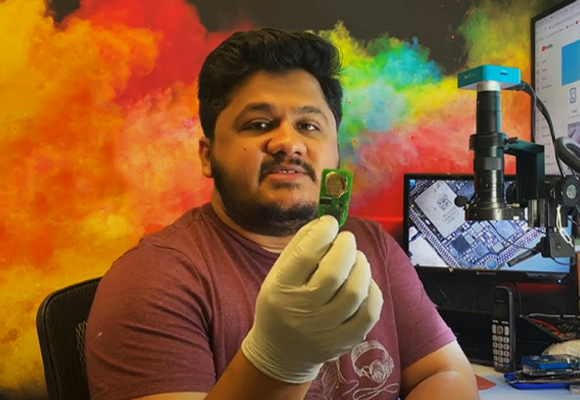
At King Wireless & Phone Repair in Humble, TX, Muhammad Adeel and his skilled technicians bring over a decade of hands-on experience in phone and laptop repair. With deep knowledge of all device models, screen types, and recovery techniques, they deliver accurate diagnostics, dependable repairs, and service you can trust. Their broad expertise gives customers across Humble, Texas peace of mind—knowing their valuable data is being handled by professionals who know exactly what they’re doing.
Sometimes the phone itself can’t be saved.
But in many cases, your photos, videos, and important files still can be.

Muhammad Adeel
Adeel is the owner and lead technician at King Wireless & Phone Repair in Humble, TX. With over 10 years of hands-on repair experience, he specializes in phone, laptop, motherboard, gaming console, and smartwatch repairs. Read More